2 min to read
Cracking a JWT Secret Key (HS256) with Hashcat
Cracking a Weak JWT Secret Key in Practice.
During penetration testing, we often encounter Web Applications or APIs that use JSON Web Tokens (JWT) as their login authentication mechanism.
But there’s one question that often gets ignored (even by pentesters themselves).
Why aren’t we cracking JWTs offline?
What’s the impact?
By cracking the secret key behind a JWT, we can freely forge valid tokens, making it possible to log in as any user without a password.
How to Identify a JWT
JSON Web Tokens (JWT) are easy to recognize. In most cases, a JWT has a structure:
eyJxxx.eyJyyy.zzzzz
More specifically, a JWT usually looks like this:
eyJhbGciOiJIUzI1NiIsInR5cCI6IkpXVCJ9.eyJpZCI6IjIiLCJuYW1lIjoiaGVscGRlc2siLCJpYXQiOjE1MTYyMzkwMjJ9.QmhPnelIHL5Ocx7CnDLesXXuufBrpV1SlGmG8vJZ92w
A JWT is made up of three dot‑separated parts:
- Header (the first
eyJxxx). - Payload (the second
eyJxxx). - Signature (the last random string).
The header and payload are Base64‑encoded JSON and can be decoded easily. But the most important part is the signature, which protects the other two parts (the header and the payload) from being tampered with.
HS256 and Weak Secret Key
Not all JWTs are crackable. However, tokens signed using HS256 can be cracked if the secret key is weak.
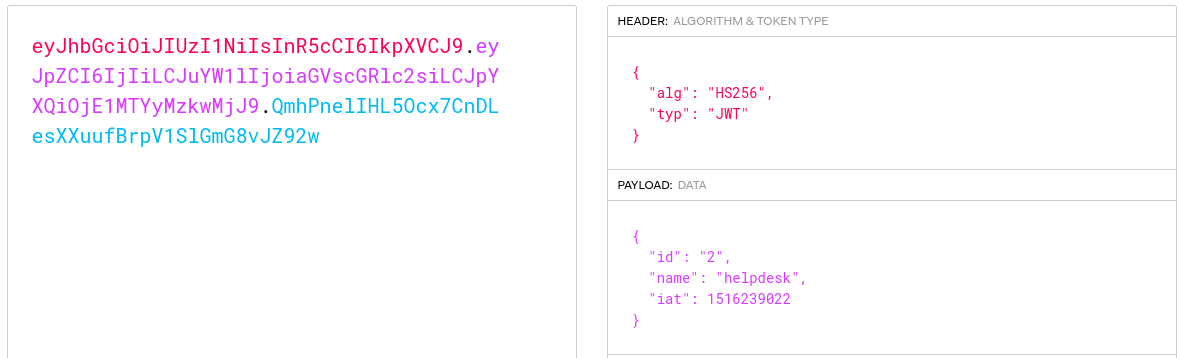
You can inspect the target JWT using https://www.jwt.io. If the algorithm is HS256 (in the header section), you can continue. If not, this technique won’t apply.
Crack
First, we need to put the token into a file (for example, jwt.txt) and prepare a wordlist as well (you can use rockyou.txt).
hashcat -a 0 -m 16500 jwt.txt wordlist.txt
Let the process run until it finishes, and make sure the Status is marked as Cracked.
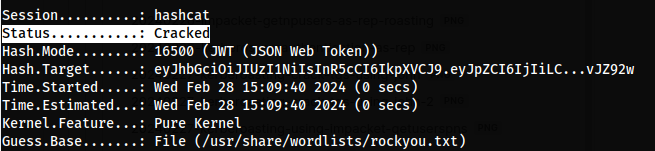
Then, add the --show flag to display previously cracked results.
hashcat -a 0 -m 16500 jwt.txt wordlist.txt --show

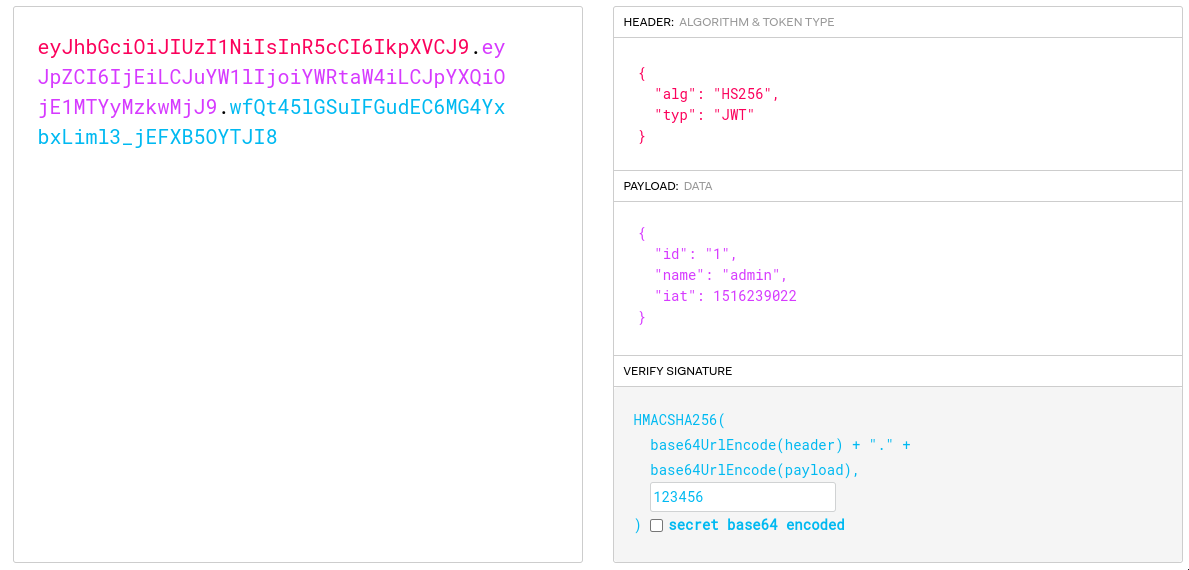
Once the secret is successfully cracked, we can directly manipulate the token’s payload. For example, we could perform an Account Takeover by changing the id parameter (e.g., from 2 to 1) or the username (e.g., from user to admin).


Comments